



 Browse
Course
Browse
Course

4,700+ Students enrolled in the course

2,800 Reviews
Professional UX/UI Design
Delivery Mode

Theory

Lab Based

Online Live Class

Recorded Video
UX/UI Design is one of the most in-demand skills in today’s tech world and will stay important as technology keeps growing. Companies always look for talented designers who can create simple, user-friendly, and engaging digital experiences while also using AI tools in their design process.
The UX/UI industry is now a billion-dollar market worldwide and is expanding every year, bringing more career opportunities for designers. The Professional UX/UI Course at Creative IT Institute is designed to give students both knowledge and hands-on experience. It covers all the key parts of UX/UI design, including user research, wireframing, prototyping, and usability testing.
With guidance from expert mentors, this course helps learners to become confident, job-ready, and marketplace-ready in this fast-growing field.
4 Months
Course Duration
20+
Industrial Project
32
Classes
20
Bonus Track
Our Exclusive Services :

Online Live Batch
Review Class
Practice Lab Support
Class Videos
Corporate Access Program (CAP)
Extra Class
Practice Lab
Mentor Support
12/7 Support
Key Highlights :
-
•
Fundamentals of UX research, empathy, and design thinking
-
•
Mastery of Figma and Adobe XD for real-world interface design
-
•
Wireframing, prototyping, and usability testing with live projects
-
•
Design system & style guide creation for professional dashboards
-
•
Product design sprint with case study presentation
-
•
Freelancing, marketplace, and portfolio development sessions
-
•
AI-assisted design workflow with ChatGPT & Ideogram
Job Opportunities:

UX UI Designer
UI Designer
SaaS UX UI Designer
Niche-Focused App UI Design
Product Focused UX Designer
Client-Based Contractual
UX Researcher
UX Strategist
Interaction Designer
Brand UI Designer
Class Structure & Distribution of Total 52 Classes:
(For Offline Course)
Offline Class - Onsite in Campus: 32 Class

On Campus (Theory)
12 Classes - Per Class 2 Hrs

On Campus (Lab)
20 Classes - Per Class 2 Hrs
Extra Online & Recorded Class: 20 Class

Online Extra Live Class
8 Classes - Per Class 1+ Hrs

Required Recorded Videos
12 Classes - Duration Variable
Course Prerequisite:

Basic Knowledge of Using Computer

Desktop / Laptop

Internet Connection
This Course Is Designed For
(Everyone)

Job seekers

Students

Homemakers

Entrepreneurs

Creative Professionals interested in human-centered design and digital product interfaces
Softwares You'll Learn:
(AI Driven)

Adobe XD

Figma

Figjam
Course Outline Structure

Provide required PDF + Class Recordings to ensure the best learning for our students.

6 Modules

52 Classes

36 Projects

52 Topics

19 Resources

Duration: 8 Classes

Focus:
UX Foundation, UI Introduction & Creative Thinking
Build your mindset with the fundamentals of design thinking, user empathy, and the first steps into UI tools.
Learn how design thinking bridges creativity with analytical problem-solving and user-centered design.

Class Type Breakdown:
- Offline (Theory): 2 Classes
- Recorded Video: 2 Classes
- Online Theory: 2 Classes
- Lab (Practical): 2 Classes
Projects Included: 2 Projects
Career Path: Junior UX Researcher, Design Thinker, UX Assistant
Prerequisites: N/A
Key Highlights:
- • Understanding Design Thinking & UX Process
- • Brainstorming & UX Laws
- • Business Pitch and User Understanding
- • UX Audit Research
- • UI Introduction with Adobe XD
Projects:
- • 1. Understanding design thinking process
- • 2. User research technique
| Class No. | Class Type | Topic/Lesson | Resource Type |
|---|---|---|---|
| Class 1 | Offline (Theory) | Understanding Design Thinking & UX Process |
 PPT
PPT
|
| Class 2 | Offline (Theory) | Brainstorming and UX Law |
N/A
|
| Class 3 | Recorded Video | UX Process & UX Law |
Class Video
|
| Class 4 | Online Theory | Business Pitch and Understand the Users |
PDF
|
| Class 5 | Lab (Practical) | UX Audit Research |
N/A
|
| Class 6 | Online Theory | Understanding of UI Design & Introduction to XD |
N/A
|
| Class 7 | Lab (Practical) | Introduction to XD & Working Process |
N/A
|
| Class 8 | Recorded Video | Introduction to Human Psychology, User Centered Design |
N/A
|
Duration: 8 Classes
Focus:
User Research, Visual Hierarchy & UI Basics Develop a deep understanding of user needs through research, mapping, and color psychology.
Class Type Breakdown:
- Offline (Theory): 2 Classes
- Online Theory: 2 Classes
- Lab (Practical): 2 Classes
- Recorded Video: 2 Classes
Projects Included: 3 Projects
Career Path: UX Research Assistant, UI Trainee Designer
Prerequisites: N/A
Key Highlights:
- • Problem Statements & User Research Techniques
- • Focus Group Discussion
- • User Journey Map & Flow Design
- • Color Psychology & Visual Hierarchy
- • Information Architecture & Figma Introduction
Projects:
- • 1. Problem statement and solution
- • 2. User Journey map & User flow
- • 3. Information architecture & Card sorting
| Class No. | Class Type | Topic/Lesson | Resource Type |
|---|---|---|---|
| Class 1 | Offline (Theory) | Practical – Create Problem Statements |
N/A
|
| Class 2 | Online Theory | User Research Techniques |
N/A
|
| Class 3 | Lab (Practical) | Focus Group Discussion |
N/A
|
| Class 4 | Online Theory | UI Elements |
N/A
|
| Class 5 | Recorded Video | Color Psychology |
Class Video
|
| Class 6 | Recorded Video | User Journey Map & User Flow |
Class Video
|
| Class 7 | Lab (Practical) | Information Architecture & Card Sorting |
N/A
|
| Class 8 | Offline (Theory) | Introduction to Figma & Working Process (Part 1) |
N/A
|
Duration: 12 Classes
Focus:
Wireframing, Figma Mastery, Dashboard Design & Usability
Learn to create structured design systems and develop interactive prototypes that tell a story.
This segment combines Figma’s full power with UX usability and design system principles.
Class Type Breakdown:
- Offline (Theory): 2 Classes
- Recorded Video: 4 Classes
- Lab (Practical): 4 Classes
- Online Theory: 1 Class
- Lab (Exam): 1 Class
Projects Included: 4 Projects
Career Path: UI Designer, Product Designer, Figma Specialist
Prerequisites: N/A
Key Highlights:
- • Paper Wireframing & Digital Prototype
- • Usability Testing & Heuristic Evaluation
- • Figma Components, Variants, Auto Layout
- • Design System vs. Style Guide
- • Dashboard Design & Portfolio Practice
Projects:
- • Low fidelity wireframe
- • Usability Testing & Heuristics
- • Design system & Style guide
- • Dashboard design
| Class No. | Class Type | Topic/Lesson | Resource Type |
|---|---|---|---|
| Class 1 | Offline (Theory) | Paper Wireframe & Prototype |
N/A
|
| Class 2 | Recorded Video | Usability Testing & Heuristics |
Class Video
|
| Class 3 | Lab (Practical) | Figma Working Process – Effects, Plugins, Auto Layout |
N/A
|
| Class 4 | Lab (Practical) | Figma Components, Variants & Properties |
N/A
|
| Class 5 | Recorded Video | Component Creation in Figma |
Class Video
|
| Class 6 | Offline (Theory) | Web Template Theory |
N/A
|
| Class 7 | Online Theory | UI Design Principles & Redesign Process |
N/A
|
| Class 8 | Recorded Video | Design System vs Style Guide |
Class Video
|
| Class 9 | Lab (Practical) | Design System Plugin Practice |
N/A
|
| Class 10 | Recorded Video | Dashboard Design |
Class Video
|
| Class 11 | Lab (Practical) | Practical Dashboard Design |
N/A
|
| Class 12 | Lab (Exam) | UX Final Exam |
N/A
|
Duration: 10 Classes
Focus:
Real-world UI Projects, Case Study & Presentation Skills
Build your portfolio with practical web and mobile projects. Learn how to craft design case studies and present your work for professional platforms like Behance and Dribbble.
Class Type Breakdown:
- Online Theory: 2 Classes
- Lab (Practical): 4 Classes
- Offline (Theory): 2 Classes
- Recorded Video: 2 Classes
Projects Included: 4 Projects
Career Path: UI/UX Product Designer, Presentation Designer, Portfolio Developer
Prerequisites: N/A
Key Highlights:
- • Real-world Web & App Redesign Projects
- • Prototyping in Figma
- • Design Presentation & Storytelling
- • Case Study Documentation
- • Behance & Dribbble Showcasing
Projects:
- • Practical website design
- • Mobile app design
- • Prototyping
- • Real world project design
| Class No. | Class Type | Topic/Lesson | Resource Type |
|---|---|---|---|
| Class 1 | Online Theory | Redesign an E-learning Website |
N/A
|
| Class 2 | Lab (Practical) | Practical Website Design (Own Concept) |
N/A
|
| Class 3 | Online Theory | Mobile App UI Design |
N/A
|
| Class 4 | Lab (Practical) | Mobile App UI Redesign |
N/A
|
| Class 5 | Offline (Theory) | 99 Designs Overview |
N/A
|
| Class 6 | Offline (Theory) | Product Case Study & Behance Presentation |
Mockup
|
| Class 7 | Recorded Video | Figma Prototyping |
Class Video
|
| Class 8 | Lab (Practical) | Prototyping Practice |
N/A
|
| Class 9 | Recorded Video | Real-world Project (Portfolio Task) |
Class Video
|
| Class 10 | Lab (Practical) | Real-world Project Design |
N/A
|
Duration: 13 Classes
Focus:
Portfolio Development, Product Thinking & Freelance Readiness
Prepare for professional success through interview training, freelancing guidance, and design sprint execution.
Learn to conduct full product design sprints and meet marketplace standards (Fiverr, Upwork, ThemeForest).
Class Type Breakdown:
- Online Theory: 1 Class
- Recorded Video: 2 Classes
- Offline (Theory): 4 Classes
- Lab (Exam): 1 Class
- Lab (Practical): 5 Classes
Projects Included: 5 Projects
Career Path: Product Designer, Freelance UXUI Expert, Design Sprint Facilitator
Prerequisites: N/A
Key Highlights:
- • Portfolio Development & Design Sprints
- • Freelancing on Fiverr & Upwork
- • ThemeForest Standards & Product Strategy
- • Interview Skills & Personal Branding
- • Final UXUI Project & Assessment
Projects:
- • Freelancing Portfolio Setup
- • UI/UX Product Design Sprint
- • ThemeForest Standard Landing Page
- • Job Interview & Personal Branding
- • Case study Presentation
| Class No. | Class Type | Topic/Lesson | Resource Type |
|---|---|---|---|
| Class 1 | Online Theory | Mastering the Job Interview |
N/A
|
| Class 2 | Recorded Video | Fiverr Account Creation & Gig Research |
Class Video
|
| Class 3 | Offline (Theory) | Fiverr Gig Publishing |
N/A
|
| Class 4 | Offline (Theory) | Social Media Networking |
N/A
|
| Class 5 | Lab (Exam) | UI Final Exam |
N/A
|
| Class 6 | Lab (Practical) | Product Design Sprint – Day 1 (Case Study) |
N/A
|
| Class 7 | Lab (Practical) | Product Design Sprint – Day 2 |
N/A
|
| Class 8 | Lab (Practical) | Product Design Sprint – Day 3 |
N/A
|
| Class 9 | Offline (Theory) | ThemeForest Standards |
N/A
|
| Class 10 | Lab (Practical) | Product Design Sprint (Final Project) |
N/A
|
| Class 11 | Lab (Practical) | Product Design Sprint Day 2 |
N/A
|
| Class 12 | Offline (Theory) | Product Design Sprint Day 3 |
N/A
|
| Class 13 | Recorded Video | Upwork & Exam PrepUX/UI Final Examaration |
Class Video
|
Duration: 1 Class
Focus:
Know UX basics, understand users, design with Figma, make prototypes, create case studies, build a portfolio, and get ready for freelance or job work.
Class Type Breakdown:
- Lab (Exam): 1 Class
Projects Included: 18 Projects
Career Path: Junior UX Researcher, Design Thinker, UX Assistant, UX Research Assistant, UI Trainee Designer, UI Designer, Product Designer, Figma Specialist, UI/UX Product Designer, Presentation Designer, Portfolio Developer, Product Designer, Freelance UXUI Expert, Design Sprint Facilitator
Prerequisites: N/A
Key Highlights:
- • UX basics & design thinking
- • Understand users through research
- • Visual hierarchy & UI fundamentals
- • Wireframing and Figma design skills
- • Interactive prototyping & usability
- • Real project experience + case study creation
- • Portfolio building for Behance/Dribbble
- • Freelancing & job readiness skills
Projects:
- • The Foundation Sprint - 02
- • User Insight & Visual Flow - 03
- • Design System & Prototype Lab - 04
- • Product Design & Presentation Hub - 04
- • Career Accelerator & Design Sprint - 05
| Class No. | Class Type | Topic/Lesson | Resource Type |
|---|---|---|---|
| Class 1 | Lab (Exam) | UX/UI Final Exam |
N/A
|
Admission Is Going On
Enroll now to any of our Offline Courses (On- Campus)

Course Fee Offline
BDT. 30,000
Online (Live Class) courses as per your suitable time.
Course Fee Online
BDT. 15,000
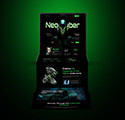
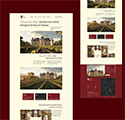
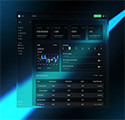
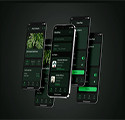
Some of the Creative Projects Done by Our Students






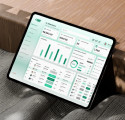

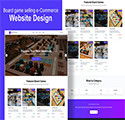




Students Shared Their Feedback


Al Mobin Kader Tanvir
Former Student
5.0
UI/UX শেখার পুরো সময়টা জুড়ে আমার মেন্টর আমার জন্য সত্যিই একজন পথপ্রদর্শকের মতো ছিলেন। তিনি শুধু ক্লাস নেননি—আমাদের বুঝেছেন, আমাদের সমস্যা শুনেছেন, আর ধৈর্য ধরে একে একে সবকিছু বুঝিয়েছেন। তার শেখানোর ধরনটা এত সহজ আর পরিষ্কার ছিল যে কঠিন বিষয়ও খুব স্বাভাবিক মনে হতো। যখনই কোনো জায়গায় আটকে গেছি, তিনি কখনও বিরক্ত হননি; বরং বারবার ব্যাখ্যা করে বুঝিয়েছেন যেন আমি ঠিকভাবে শিখতে পারি।

Md Rabbi Hosen
Former Student
5.0
ক্রিয়েটিভ আইটি ইন্সটিটিউটে UX/UI প্রোগ্রামে আন্তজার্তিক বাজারে একজন দক্ষ ফ্রিলান্সার হিসেবে প্রতিযোগিতা করতে যা যা প্রয়োজন সবকিছুই তাদের কোর্সে অর্ন্তভুক্ত করেছে।এতে করে আগামীর বাংলাদেশে বেকার লাগবে এই প্রতিষ্ঠানের শিক্ষার্থীরা আন্তজার্তিক বাজার দখলে নিবে। ক্রিয়েটিভ আইটির সাথে নিজেকে যুক্ত করে নিজের বেকারত্ব লাগবে নিজেকে দক্ষ করে তুলতে পেরে নিজের কাছে খুবই ভালো লেগেছে।

Nusrat Jahan Labonno
Former Student
5.0
Creative IT Institute-এর সাথে আমার পথচলাটা ছিল জীবনের অন্যতম সেরা অভিজ্ঞতা। আমি MPGD 2414 এবং MUX/UI 2502 ব্যাচের একজন ডিপ্লোমা স্টুডেন্ট। আমার এই সাফল্যের পেছনে সবচেয়ে বড় অবদান Creative IT Institute। প্রতিটি স্টুডেন্টকে সমান গুরুত্ব দেয়ার মানসিকতা আমাকে মুগ্ধ করেছে। আমি নিজেকে এমনভাবে তৈরি করতে পেরেছি যে, ডিপ্লোমা শেষ করার আগেই আমি ক্যারিয়ার শুরু করতে পেরেছি। আলহামদুলিল্লাহ!

Lawrence Ranjan D'Cruze
Former Student
5.0
২০২৩ সালে Creative IT Institute–এর CPGD-2312 ও UX/UI-2306 ব্যাচে ডিপ্লোমা শেষ করি। দক্ষতা বাড়াতে MERM-2403 ব্যাচে ভর্তি হলেও অফিসের চাপ ও অসুস্থতায় কোর্স স্থগিত করতে হয়। সময় মেলেনি বলে এখনো ফিরতে পারিনি, তবে সুযোগ পেলেই ফিরব। বিরতির মাঝেও ইনস্টিটিউট নিয়মিত খোঁজ নিয়ে অনুশীলনে উৎসাহ দিয়েছে। শিক্ষার্থীর প্রতি তাদের এ আন্তরিকতা আমাকে গর্বিত করে।
Course Related FAQ
Answer : Anyone, beginner or professional, interested in UX/UI design.
Answer : You will get complete guidelines, and we teach everything from the basics, step by step.
Answer : Complete UX/UI process including AI in UX UI Design: design thinking, user research, user flows, wireframing, prototyping, UI design, dashboards, web & mobile apps, and usability testing.
Answer : Yes, the course provides practical experience through real-world design projects, team-based assignments, and comprehensive case studies. You’ll apply the complete UX/UI process—from research and wireframing to prototyping and final UI design—so you graduate with a strong, portfolio-ready body of work.
Answer : Figma, Adobe XD, Whimsical, Visily, Miro/FigJam, and AI-powered tools for design and research, including ChatGPT, Gemini, Perplexity, UIzard, Relume.io, and Maze.co.
Answer : After completing the UX/UI course, you can pursue careers as a UX/UI Designer, UI Designer,
Answer : Processor: Intel Core i7 (10th Gen or above) / AMD Ryzen 5 বা Ryzen 7 RAM: 8 GB Storage: 512 GB SSD Graphics: 4GB GPU Display: Full HD (1920×1080) with good color accuracy (IPS panel preferred)
Services Section
Job Placement Support
Creative IT offers students an exclusive gateway to their dream careers through its Job Placement Support. Throughout the course, learners receive targeted training in CV crafting, portfolio development, and essential soft skills, ensuring they are industry-ready. Upon completion, students are strategically referred to companies that match their skills and potential.
Backup Class
A Backup Class is a special facility where students can revisit lessons missed due to illness or emergencies. It helps maintain learning continuity and ensures that students’ progress is not interrupted. However, the number of backup classes may vary depending on the course. Therefore, it is advisable not to miss classes unless absolutely necessary.