



 Browse
Course
Browse
Course

6,000+ Students enrolled in the course

2,000+ Reviews
Professional Interior & Exterior Design
Course Delivery Mood

Theory

Lab Based

Online Live Class

Recorded Video
Interior & Exterior Design is one of the most creative and fast-growing professions in today’s world. With rapid urbanization and increasing demand for aesthetic and functional spaces, skilled designers are highly valued in both residential and commercial projects. A well-designed space not only enhances beauty but also improves comfort, productivity, and lifestyle.
This course is designed to build your expertise from the ground up. You will learn essential design principles, color theory, material selection, and modern architectural trends. Along with strong conceptual knowledge, you will gain hands-on skills in industry-standard software such as AutoCAD, SketchUp, V-Ray, ChatGPT, and Canva.
By the end of the program, you will be able to plan and design interiors, exteriors, landscapes, and commercial spaces with professional accuracy. Whether your goal is to start a career in architecture and design, work as a freelancer, or launch your own design studio, this course provides the foundation and advanced techniques to turn your creative ideas into reality.
4 Month
Course Duration
18+
Industrial Project
32
Classes
32
Bonus Track
Exclusive Solutions That Set Us Apart :

Online Live Batch
Review Class
Practice Lab Support
Class Videos
Corporate Access Program (CAP)
Job Preparation Support
Extra Class
Practice Lab
Mentor Support
Class Resources
Key Highlights :
-
•
Fundamentals of interior and exterior design, space planning, color theory, and material selection
-
•
Mastering SketchUp, V-ray, and AutoCAD for professional visualization
-
•
AI-powered design integration with ChatGPT, Midjourney, Leonardo, and Recraft for concept creation and rendering enhancement
-
•
Practical modules on Hand sketch to 2d sketch Site plan Floor plan skills
-
•
Freelancing and marketplace training with hands-on projects and Fiverr profile development
Job Opportunities:

Interior Designer
Furniture & Fixture Designer
3D Visualizer
Space Planner
Lighting Designer
Color & Material Consultant
Interior Stylist / Decor Consultant
Exterior Designer
Class Structure & Distribution of Total 64 Classes:
(For Offline Course)
Offline Class - Onsite in Campus: 32 Class

On Campus (Theory)
8 Classes - Per Class 2 Hrs

On Campus (Lab)
24 Classes - Per Class 2 Hrs
Extra Online & Recorded Class: 32 Class

Online Extra Live Class
14 Classes - Per Class 1+ Hrs

Required Recorded Videos
18 Classes - Duration Variable
Course Prerequisite:

Basic Knowledge of Using Computer

Desktop / Laptop

Internet Connection
This Course Is Designed For
(Everyone)

Job seekers

Students

Homemakers
Softwares You'll Learn:
(AI Driven)

AutoCAD

Sketchup

v.ray

ChatGPT

Canva
Course Outline Structure

Provide required PDF + Class Recordings to ensure the best learning for our students.

7 Modules

64 Classes

18 Projects

36 Topics

38 Resources

Duration: 5 Classes

Focus:
Hand Sketching Fundamentals, Architectural Concepts & Visualization
Develop the foundation of architectural sketching to communicate design ideas clearly and effectively. This module emphasizes conceptual sketching, perspective, dimensions, and understanding architectural plans for interior and exterior projects.

Class Type Breakdown:
- Offline (Theory): 2 Classes
- Online Theory: 3 Classes
Projects Included: 2 Projects
Career Path: Junior Interior Designer, Architectural Draftsman, Concept Designer, Freelance Sketch Artist
Prerequisites: N/A
Key Highlights:
- • • Course orientation and sketching fundamentals
- • • Architectural sketch concepts for interiors and exteriors
- • • Dimensioning and perspective theory for accurate representation
- • • Understanding plans, layouts, and spatial relationships
- • • Elevation and section sketching concepts
- • • Practical exercises for portfolio-ready hand sketches
Projects:
- • Perspective View
- • Building 2D Drawing Hand sketch
| Class No. | Class Type | Topic/Lesson | Resource Type |
|---|---|---|---|
| Class 1 | Offline (Theory) | Course Orientation & Sketch Fundamentals |
 PPT
PPT
|
| Class 2 | Online Theory | Architectural Sketch Concepts |
PPT
|
| Class 3 | Online Theory | Dimension & Perspective Theory |
N/A
|
| Class 4 | Offline (Theory) | Plan Understanding Theory |
N/A
|
| Class 5 | Online Theory | Elevation and Section Concepts |
N/A
|
Duration: 15 Classes
Focus:
2D Drafting, Technical Drawings & Construction Documentation
Master AutoCAD for interior and exterior design projects. This module focuses on precise 2D drafting, technical drawings, and preparing construction-ready plans, equipping students with essential skills for professional practice and freelancing
Class Type Breakdown:
- Online Theory: 2 Classes
- Lab (Practical): 6 Classes
- Recorded Video: 5 Classes
- Lab (Exam): 2 Classes
Projects Included: 2 Projects
Career Path: Interior Draftsman, CAD Technician, Freelance CAD Designer, Junior Interior Designer
Prerequisites: Basic computer knowledge
Key Highlights:
- • • Fundamentals of AutoCAD interface, commands, and workflow
- • • Drawing walls, doors, windows, and furniture layouts
- • • Creating accurate floor plans, elevations, and sections
- • • Dimensioning, annotations, and layer management for clarity
- • • Plotting, printing, and exporting drawings for client presentations
- • • Integration with Revit, SketchUp, and Lumion for 3D workflow
- • • Marketplace-oriented AutoCAD projects (Fiverr, Upwork, Freelancer)
- • • Final project presentation and course-end evaluation
Projects:
- • 2D Floor Plan Making
- • Sheet presentation making
| Class No. | Class Type | Topic/Lesson | Resource Type |
|---|---|---|---|
| Class 1 | Online Theory | AutoCAD Interface & Setup |
Class Video
|
| Class 2 | Lab (Practical) | AutoCAD Interface & Setup |
N/A
|
| Class 3 | Recorded Video | AutoCAD Drawing & Modify Tools Practice |
Recorded Video
|
| Class 4 | Lab (Practical) | AutoCAD Drawing & Modify Tools Practice |
N/A
|
| Class 5 | Recorded Video | Text, Hatch, and Property Control |
Recorded Video
|
| Class 6 | Lab (Practical) | Text, Hatch, and Property Control |
N/A
|
| Class 7 | Recorded Video | Advanced Modify & Block Commands |
Recorded Video
|
| Class 8 | Lab (Practical) | Advanced Modify & Block Commands |
N/A
|
| Class 9 | Online Theory | Floor Plan Tracing Concepts |
Class Video
|
| Class 10 | Lab (Practical) | Floor Plan Tracing Concepts |
N/A
|
| Class 11 | Recorded Video | Layer Management & Sheet Setup |
Recorded Video
|
| Class 12 | Lab (Exam) | Layer Management & Sheet Setup |
N/A
|
| Class 13 | Recorded Video | Standard Sheet Presentation & Printing Concepts |
Recorded Video
|
| Class 14 | Lab (Practical) | Standard Sheet Presentation & Printing Concepts |
N/A
|
| Class 15 | Lab (Exam) | AutoCAD Exam & Plan Submission |
N/A
|
Duration: 2 Classes
Focus:
Freelancing, Marketplace Strategies & Portfolio Development
Learn to leverage Fiverr and other freelancing platforms to build a professional design career. This module guides students through profile creation, project listing, client communication, and marketplace best practices, while applying their interior and exterior design skills.
Class Type Breakdown:
- Offline (Theory): 1 Class
- Online Theory: 1 Class
Projects Included: 1 Project
Career Path: Online Marketplace
Prerequisites: Knowledge of interior/exterior design basics and completed software modules (AutoCAD, Revit, SketchUp, Lumion, V-Ray, Photoshop)
Key Highlights:
- • • Creating a professional Fiverr profile tailored for interior & exterior design
- • • Understanding project categories, proposals, and client requirements
- • • Pricing, estimation, and contract management for freelance projects
- • • Uploading project portfolios with 3D renders, layouts, and presentations
- • • Marketplace-based practical assignments for residential, commercial, and restaurant projects
- • • Tips for repeat clients, ratings, and long-term freelance growth
- • • Final marketplace project submission and evaluation
Projects:
- • Online Marketplace
| Class No. | Class Type | Topic/Lesson | Resource Type |
|---|---|---|---|
| Class 1 | Offline (Theory) | Fiverr Account Setup & Exploration |
PPT
|
| Class 2 | Online Theory | Fiverr Gig Creation & Promotion |
PPT
|
Duration: 16 Classes
Focus:
3D Modeling, Interior & Exterior Visualization
Class Type Breakdown:
- Online Theory: 1 Class
- Lab (Practical): 8 Classes
- Recorded Video: 7 Classes
Projects Included: 4 Projects
Career Path: Interior 3D Modeler, Exterior Visualizer, Freelance 3D Designer, Junior Interior Designer
Prerequisites: Basic knowledge of AutoCAD and Fundamentals of Interior Design Concepts
Key Highlights:
- • • SketchUp interface, tools, and workflow fundamentals
- • • 3D modeling of walls, floors, furniture, and fixtures
- • • Detailing interiors and exteriors with textures and materials
- • • Creating scenes, views, and camera setups for presentations
- • • Integration with Lumion, Revit, and Photoshop for advanced rendering
- • • Marketplace-oriented projects (Fiverr, Upwork, Freelancer)
- • • Final project presentation and course-end evaluation
Projects:
- • 3D Floor Plan Making
- • Stair Making
- • 3D Interior Model Making
- • 3D Cabinet & Model Making
| Class No. | Class Type | Topic/Lesson | Resource Type |
|---|---|---|---|
| Class 1 | Online Theory | SketchUp Interface Overview |
Recorded Video
|
| Class 2 | Lab (Practical) | SketchUp Interface Overview |
N/A
|
| Class 3 | Recorded Video | SketchUp Basic Tools (Part 1) |
Recorded Video
|
| Class 4 | Lab (Practical) | SketchUp Basic Tools (Part 1) |
N/A
|
| Class 5 | Recorded Video | Advanced SketchUp Tools (Part 2) |
Recorded Video
|
| Class 6 | Lab (Practical) | Advanced SketchUp Tools (Part 2) |
N/A
|
| Class 7 | Recorded Video | Fixed Furniture & Section Modeling Concepts |
Recorded Video
|
| Class 8 | Lab (Practical) | Fixed Furniture & Section Modeling Concepts |
N/A
|
| Class 9 | Recorded Video | Furniture Detailing & Plugin Overview |
Recorded Video
|
| Class 10 | Lab (Practical) | Furniture Detailing & Plugin Overview |
N/A
|
| Class 11 | Recorded Video | Stair Modeling Theory & Plugin Concepts |
Recorded Video
|
| Class 12 | Lab (Practical) | Stair Modeling Theory & Plugin Concepts |
N/A
|
| Class 13 | Recorded Video | Organic Shape & Fabric Simulation Practice |
Recorded Video
|
| Class 14 | Lab (Practical) | Organic Shape & Fabric Simulation Practice |
N/A
|
| Class 15 | Recorded Video | 3D Floor Plan & Warehouse Practice |
Recorded Video
|
| Class 16 | Lab (Practical) | 3D Floor Plan & Warehouse Practice |
N/A
|
Duration: 10 Classes
Focus:
Color Theory, Materials, Composition & Environmental Design
Build a solid foundation in interior and exterior design principles. This module emphasizes color harmony, material selection, spatial composition, proportion, lighting, and environmental considerations, preparing students to create visually appealing and functional spaces.
Class Type Breakdown:
- Recorded Video: 4 Classes
- Offline (Theory): 5 Classes
- Online Theory: 1 Class
Projects Included: 3 Projects
Career Path: Interior Designer, Exterior Designer, Space Planner, Junior 3D Visualizer
Prerequisites: N/A
Key Highlights:
- • • Fundamentals of color theory and its application in interior and exterior design
- • • Understanding materials, textures, and finishes for aesthetic and functional impact
- • • Principles of composition, proportion, and balance in spatial planning
- • • Overview of interior design styles and their practical implementation
- • • Environmental design considerations including lighting, ventilation, and natural elements
- • • Practical exercises for real-world interior and exterior projects
- • • Portfolio-ready design exercises and evaluation
Projects:
- • Presentation Making
- • Apliment Minimum 2 interior design style
- • Market Visit & Price Collection
| Class No. | Class Type | Topic/Lesson | Resource Type |
|---|---|---|---|
| Class 1 | Recorded Video | Design Principles – Composition & Balance |
Recorded Video
|
| Class 2 | Offline (Theory) | Design Principles – Composition & Balance |
PPT
|
| Class 3 | Online Theory | Environmental & Lighting Considerations |
Recorded Video
|
| Class 4 | Offline (Theory) | Environmental & Lighting Considerations |
PPT
|
| Class 5 | Recorded Video | Color Theory & Interior Design Fundamentals |
Recorded Video
|
| Class 6 | Offline (Theory) | Color Theory & Interior Design Fundamentals |
PPT
|
| Class 7 | Recorded Video | Interior Design Styles |
Recorded Video
|
| Class 8 | Offline (Theory) | Interior Design Styles |
PPT
|
| Class 9 | Recorded Video | Interior Materials |
Recorded Video
|
| Class 10 | Offline (Theory) | Interior Materials |
PPT
|
Duration: 6 Classes
Focus:
Residential Interior & Exterior Design, Space Planning & Visualization
Learn to design functional and aesthetically appealing residential buildings. This module emphasizes concept development, layout planning, material selection, lighting design, and 3D visualization, preparing students for real-world projects and freelance opportunities.
Class Type Breakdown:
- Online Theory: 1 Class
- Lab (Practical): 3 Classes
- Recorded Video: 2 Classes
Projects Included: 3 Projects
Career Path: Residential Interior Designer, 3D Visualizer, Space Planner, Freelance Interior Designer
Prerequisites: Basic knowledge of AutoCAD, SketchUp, or Revit, and Fundamentals of Interior Design Concepts
Key Highlights:
- • • Conceptualizing residential themes and architectural ideas
- • • Space planning: rooms, circulation, furniture layouts, and zoning
- • • Material finishes, lighting design, and decor integration
- • • 3D modeling and realistic visualization using Revit, SketchUp, and Lumion
- • • Marketplace-oriented residential projects for freelancing platforms
- • • Final project presentation and evaluation
Projects:
- • Plan & Zoning Making
- • Interior Making
- • Exterior Making
| Class No. | Class Type | Topic/Lesson | Resource Type |
|---|---|---|---|
| Class 1 | Online Theory | Residence Project – Concept & Zoning (Exterior Preparation) |
PPT
|
| Class 2 | Lab (Practical) | Residence Project – Concept & Zoning (Exterior Preparation) |
Class Video
|
| Class 3 | Recorded Video | Residence Project (Interior Practice) |
Recorded Video
|
| Class 4 | Lab (Practical) | Residence Project (Interior Practice) |
N/A
|
| Class 5 | Recorded Video | Residence Project Practice & Submission |
Recorded Video
|
| Class 6 | Lab (Practical) | Residence Project Practice & Submission |
N/A
|
Duration: 10 Classes
Focus:
Realistic Rendering & Visualization
Master V-Ray for creating photorealistic renders of interior and exterior designs. This module focuses on lighting, materials, textures, and camera setup to produce professional-quality visuals suitable for client presentations and freelancing.
Class Type Breakdown:
- Online Theory: 5 Classes
- Lab (Practical): 4 Classes
- Recorded Video: 1 Class
Projects Included: 3 Projects
Career Path: 3D Visualizer, Interior Visualizer, Freelance Rendering Artist, Architectural Visualization Specialist.
Prerequisites: Basic knowledge of SketchUp, Revit, or AutoCAD, and Fundamentals of Interior Design Concepts
Key Highlights:
- • • V-Ray interface, tools, and rendering workflow
- • • Applying realistic materials and textures for interiors and exteriors
- • • Lighting setup: natural light, artificial light, and HDRI environments
- • • Camera positioning, perspectives, and composition for impactful renders
- • • Rendering settings for high-quality images and animations
- • • Integration with SketchUp, Revit, and AutoCAD models
- • • Marketplace-oriented rendering projects (Fiverr, Upwork, Freelancer)
- • • Final rendering project presentation and course-end evaluation
Projects:
- • Making Materials
- • Camera & Scene Creation
- • Lighting Setup & Night Rendering
- • Environment & Day Rendering
| Class No. | Class Type | Topic/Lesson | Resource Type |
|---|---|---|---|
| Class 1 | Online Theory | Introduction to V-Ray Rendering |
Class Video
|
| Class 2 | Lab (Practical) | Introduction to V-Ray Rendering |
N/A
|
| Class 3 | Online Theory | Light & Material Integration Practice |
Class Video
|
| Class 4 | Lab (Practical) | Light & Material Integration Practice |
N/A
|
| Class 5 | Online Theory | Daylight & Night Scene Rendering Practice |
Class Video
|
| Class 6 | Lab (Practical) | Daylight & Night Scene Rendering Practice |
N/A
|
| Class 7 | Online Theory | V-Ray Objects & Effects |
Class Video
|
| Class 8 | Lab (Practical) | V-Ray Objects & Effects |
N/A
|
| Class 9 | Online Theory | Final Render Setup & Output |
Class Video
|
| Class 10 | Recorded Video | Final Render Setup & Output |
N/A
|
Admission Is Going On
Enroll now to any of our Offline Courses (On- Campus)

Course Fee Offline
BDT. 30,000
Online (Live Class) courses as per your suitable time.
Course Fee Online
BDT. 15,000
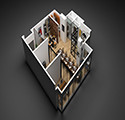
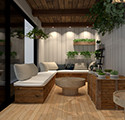
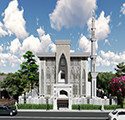
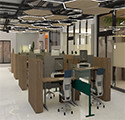
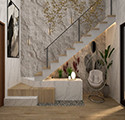
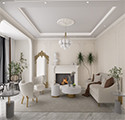
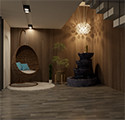
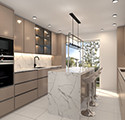
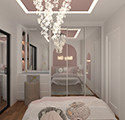
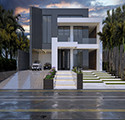
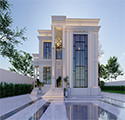
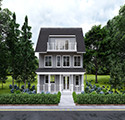
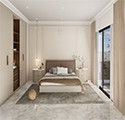
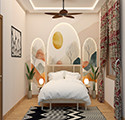
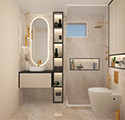
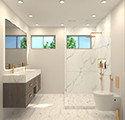
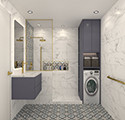
Some of the Creative Projects Done by Our Students

Students Shared Their Feedback


Shamima Yesmin Santa
Interior Designer
5.0
I had long aspired to join Creative IT Institute, inspired by its success stories. With a strong interest in Interior & Exterior Design, I enrolled confidently. Creative IT truly feels like a family—supportive, friendly, and dedicated to quality teaching. Their guidance and education played a vital role in building my career.

Anisur Rahman
Student
5.0
Creative IT Institute sets the standard for quality IT training. What impressed me most was the depth of the curriculum and the dedication of the faculty. My instructor was patient, incredibly knowledgeable, and always went the extra mile to clarify complex concepts. Highly recommended for digital IT training.

Nusrat Jahan
Student
5.0
Creative IT Institute is an excellent institution for skill development and career guidance. The mentors are highly supportive, and their teaching methods are simple, practical, and effective. The learning environment is very friendly and professional, which makes the learning experience even better. It is an ideal institute for anyone who wants to build a successful career in the IT sector.

Fahaddes Hosen
Student
5.0
ক্রিয়েটিভ আইটি ইন্সটিটিউট আমার স্বপ্ন পূরণের সাথী। এক সময় মনে হতো আমার মাধ্যমে এ কাজ হবে না। কিন্তু ক্রিয়েটিভ আইটি তে ইন্টেরিয়র ডিজাইন এর কোর্স সম্পন্ন করার পরে আমিও বলতে পারি যে হ্যাঁ আমি এখন পারি। ধন্যবাদ ক্রিয়েটিভ আইটি ইন্সটিটিউট।
Course Related FAQ
Answer : Processor: Intel Core i7 (10th Gen or above) / AMD Ryzen 5 বা Ryzen 7 RAM: 16 GB Storage: 512 GB SSD Graphics: 4GB GPU Display: Full HD (1920×1080) with good color accuracy (IPS panel preferred)
Answer : We specialize in complete Interior & Exterior Design solutions, including residential, commercial, office, restaurant, and exhibition stall projects.
Answer : Yes, we provide end-to-end design services covering interiors, exteriors, landscaping, and facade design.
Answer : We use SketchUp because it is faster, more user-friendly, and ideal for architectural modeling and interior layouts. It allows quick design changes, seamless integration with V-Ray/Enscape/Lumion, and is easier for clients to understand. While 3ds Max is excellent for ultra-realistic visuals, SketchUp provides both efficiency and professional quality—making it the perfect balance for design + execution projects.
Course Services Section
Job Placement Support
Creative IT offers students an exclusive gateway to their dream careers through its Job Placement Support. Throughout the course, learners receive targeted training in CV crafting, portfolio development, and essential soft skills, ensuring they are industry-ready. Upon completion, students are strategically referred to companies that match their skills and potential.
Backup Class
A Backup Class is a special facility where students can revisit lessons missed due to illness or emergencies. It helps maintain learning continuity and ensures that students’ progress is not interrupted. However, the number of backup classes may vary depending on the course. Therefore, it is advisable not to miss classes unless absolutely necessary.