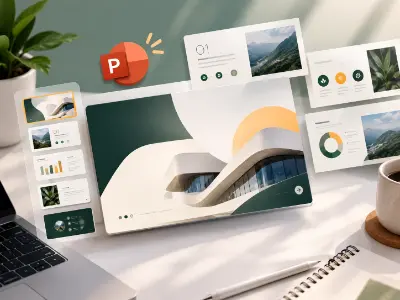
Interactive PowerPoint Presentation
Create an interactive PowerPoint presentation using visual storytelling, structured layouts, animations, and engaging presentation techniques.
Today’s design industry values designers who can think beyond visuals, build concepts and adapt to changing digital workflows. This 8 months, Mastery hands-on program develops those skills through concept-driven design, branding, visual systems, modern media, real-world projects, expert guidance and AI-powered tools. Students build strong creative direction, professional execution and an industry-ready portfolio, preparing them for graphic design roles, freelance projects and opportunities across agencies and brands.


Build your creative mindset with the fundamentals of design and communication. Learn to structure ideas visually using PowerPoint for impactful presentations and storytelling.
| CLASS | TOPIC | TYPE |
|---|---|---|
| Class 1 | Fundamental of Graphic Design PDF | Theory |
| Class 2 | Introducing with Microsoft PowerPoint Class Video | Recorded |
| Class 3 | Interactive PowerPoint Presentation NO | Lab |
| Class 4 | Fundamental Exam (MCQ & Presentation) NO | Lab |
Junior Presentation Designer . Creative Assistant
Master vector-based illustration and branding with Adobe Illustrator. From pen tool precision to professional logo design and print-ready artwork, this module prepares you for both creative jobs and freelance projects.
| CLASS | TOPIC | TYPE |
|---|---|---|
| Class 1 | Introducing Adobe Illustrator NO | Lab |
| Class 2 | Transformation Details NO | Recorded |
| Class 3 | Pen Tool, Line Art Illustration etc. NO | Lab |
| Class 4 | Align, Distribute, Shape Mode, Pathfinder, Stroke etc. NO | Online |
| Class 5 | Working with Text & Image, Custom Lettering etc. Video | Theory |
| Class 6 | Working with Blend, Effect, Paint Brush etc. and Business Card | Recorded |
| Class 7 | Business Card & Simple Logo PDF | Lab |
| Class 8 | Stationery Design Theory | Recorded |
| Class 9 | Stationery Design & Canva Template Editing Fonts & Icons | Lab |
| Class 10 | Color Studies, Concept Development & Thank You Card Design PDF | Recorded |
| Class 11 | Marketing Material (Flyer) | Recorded |
| Class 12 | Marketing Material (Flyer) & Canva Party Flyer Editing Mockups | Lab |
| Class 13 | Analyzing Design & Understanding Graphic Design Principles PDF | Recorded |
| Class 14 | Marketing Material (Brochure) | Recorded |
| Class 15 | Marketing Material (Brochure) & Canva Food Menu Brochure Editing Mockups | Lab |
| Class 16 | www.freelancer.com | Online |
| Class 17 | Marketplace : 01 www.freelancer.com (Live Project) NO | Theory |
| Class 18 | Logo Design, Part: 01 PDF | Theory |
| Class 19 | Logo Design, Part: 02 (Golden Ratio) & Logo Design using AI (Nano Banana / Ideogram) Class Video | Lab |
| Class 20 | Logo Design, Part: 03 (Typography) Class Video | Recorded |
| Class 21 | Marketing Material (Calendar & Food Menu) Mockups & Fonts | Lab |
| Class 22 | Marketing Material (PVC Banner) NO | Recorded |
| Class 23 | Product Packaging, Label Design & Using pacdora.com NO | Online |
| Class 24 | Product Packaging, Label Design & Using diecuttemplates.com Class Video | Lab |
| Class 25 | Print On Demand (POD) Design Mockups & Fonts | Lab |
| Class 26 | ChatGPT, Gemini, Ideogram, Leonardo, Recraft etc. NO | Theory |
| Class 27 | Portfolio and Pre-Press Setup Class Video | Theory |
| Class 28 | Marketplace : 02 www.shutterstock.com (Live Project) PDF | Theory |
| Class 29 | Illustrator Final Exam NO | Online |
| Class 30 | 360 Degree Branding & Portfolio Goal Setting | Theory |
| Class 31 | Graphic Design Case Study | Theory |
| Class 32 | Editable Text Effect in Illustrator | Lab |
| Class 33 | Character & Paragraph Style in Illustrator | Recorded |
| Class 34 | Advanced Brush Setting for Custom Typography | Lab |
| Class 35 | Design Trends, AI for Idea Generation & Storytelling | Online |
| Class 36 | Creative Typography Advance Lavel | Theory |
| Class 37 | English Typography | Lab |
| Class 38 | Bangla Typography | Lab |
| Class 39 | Bilingual Typography & Typography Design using AI | Recorded |
| Class 40 | Brand Color Psychology, Theory & Mastery in Gradient | Theory |
| Class 41 | Logo with Brand Identity: Class 1 | Lab |
| Class 42 | Logo with Brand Identity: Class 2 | Lab |
| Class 43 | Logo with Brand Identity: Class 3 | Online |
| Class 44 | Logo with Brand Identity: Class 4 | Lab |
| Class 45 | Mnemonic Logo Design & Logo Design using AI | Recorded |
| Class 46 | Design Principles, Design Psychology & Break the Principles Techniques | Online |
| Class 47 | Brand Guidelines using AI | Lab |
| Class 48 | Mockup Presentation using AI | Online |
| Class 49 | Brand Kits | Lab |
| Class 50 | CPD Phase 1 | Theory |
| Class 51 | Professional Portfolio Development & Personal Branding | Online |
| Class 52 | Logo Intro Animation Using AI | Recorded |
| Class 53 | Freelancing Marketplace (99designs.com) | Online |
| Class 54 | Freelancing Marketplace Live Contest (freelancer.com) | Lab |
| Class 55 | Marketing Material Design 1 (Flyer) | Lab |
| Class 56 | Marketing Material Design 2 (Restaurant Menu Book-Bi-Fold) | Lab |
| Class 57 | Marketing Material Design 3 (Poster Design) | Lab |
| Class 58 | Global & Local Client Hunting, Relationship Building & Management | Theory |
| Class 59 | Real Life Client Hunting Challenge | Online |
Graphic Designer . Brand Identity Designer . Illustrator . Print Designer . Freelance Vector Artist
Learn the art of photo editing, manipulation, and creative compositing with Adobe Photoshop. This segment combines technical skills with marketplace-based practical projects for real-world freelancing readiness.
| CLASS | TOPIC | TYPE |
|---|---|---|
| Class 1 | Introducing Adobe Photoshop NO | Lab |
| Class 2 | Selection Tool Details & Brush Brushes | Recorded |
| Class 3 | Image Retouch with www.fotor.com & Nano Banana | Lab |
| Class 4 | Pen Tool & Type Tool No | Theory |
| Class 5 | Marketplace : 03 (1st Part) www.fiverr.com | Online |
| Class 6 | Image Manipulation (01) Class Video | Online |
| Class 7 | Image Manipulation (02) Class Video | Lab |
| Class 8 | Social Media Post Design (English) & Canva Template Editing NO | Recorded |
| Class 9 | Social Media Post Design (Bangla) Class Video | Lab |
| Class 10 | YouTube Thumbnail No | Lab |
| Class 11 | Listing Image and A⁺ Content Design | Online |
| Class 12 | A⁺ Content Design (Freelancer Live Contest) NO | Lab |
| Class 13 | Animated Banner Design Class Video | Lab |
| Class 14 | Marketplace : 04 www.upwork.com PDF | Theory |
| Class 15 | Book Cover Design Mockups | Lab |
| Class 16 | Canva AI Using | Recorded |
| Class 17 | Canva AI Project (Party Flyer Design) NO | Online |
| Class 18 | Marketplace : 05 www.templatemonster.com | Theory |
| Class 19 | Course Final Exam | Lab |
Photo Editor . Digital Designer . Visual Content Creator . Freelance Photoshop Expert
This advanced module is designed for designers with strong Photoshop fundamentals who want to master high-impact visual storytelling, professional manipulation, and commercial digital design. The course emphasizes real-world projects, AI-enhanced workflows, and freelance/marketplace readiness.
| CLASS | TOPIC | TYPE |
|---|---|---|
| Class 1 | Advanced Brush Setting in Photoshop | Recorded |
| Class 2 | Advanced Text Effect in Photoshop | Lab |
| Class 3 | Advanced Image Effect in Photoshop | Lab |
| Class 4 | Mockup Creation (AI Included) | Lab |
| Class 5 | Creative Product Manipulation 1: AI included | Online |
| Class 6 | Creative Product Manipulation 2 | Lab |
| Class 7 | Social Media Kits Design 1 (Social Media Post) | Lab |
| Class 8 | Social Media Kits Design 2 (YouTube Thumbnail) | Online |
| Class 9 | Social Media Kits Design 3 (Movie/Natok Digital Poster) | Lab |
| Class 10 | Freelancing Marketplace (stock.adobe.com) | Online |
| Class 11 | Conversational Design using AI Prompt Engineering | Recorded |
| Class 12 | Product Packaging 1 (Label Design) | Online |
| Class 13 | Product Packaging 2 (Box/Packet Design) | Lab |
| Class 14 | Freelancing Marketplace (freepik.com) | Online |
| Class 15 | UI focused Graphic Design Crossover | Lab |
| Class 16 | CPD Phase 2 | Theory |
Photo Editor . Digital / Visual Designer . Advertising & Social Media Designer . Visual Content Creator . Freelance Photoshop Specialist
This advanced module is designed for learners who already understand design fundamentals and want to master professional document layout, corporate communication design, and interview readiness. The module bridges design execution with career preparation, ensuring students are confident for jobs, certifications, and client presentations.
| CLASS | TOPIC | TYPE |
|---|---|---|
| Class 1 | Adobe InDesign Overview | Online |
| Class 2 | Proposal Letter using InDesign | Lab |
| Class 3 | Company Profile using InDesign | Recorded |
| Class 4 | Adobe & NSDA Certification Guideline & Preparation | Online |
| Class 5 | Mock Interview & Viva Session | Theory |
Corporate graphic design roles . Print & publication design tasks . Professional interviews & viva sessions . Adobe / NSDA certification exams . Confident portfolio presentation.
Share your details and our team will reserve your seat in an upcoming free class of Mastery in Graphic Design.
Every project is portfolio-grade and presented with mockups, the way a client would receive it.
Create an interactive PowerPoint presentation using visual storytelling, structured layouts, animations, and engaging presentation techniques.
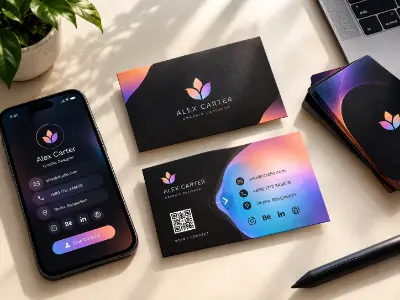
Design a professional business card using typography, layout, color, branding, and print-ready design principles.
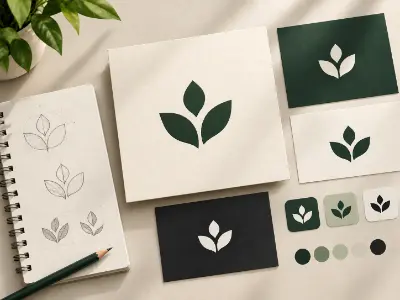
Create a clean and memorable logo using Illustrator’s vector tools, typography, shape construction, and creative concept development
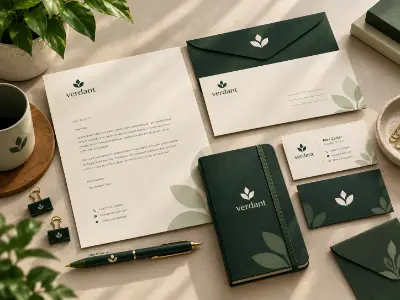
Design professional branded stationery using consistent typography, colors, layouts, and corporate identity elements.

Create an attractive thank-you card using balanced composition, typography, color, and creative visual elements.
Design an engaging promotional flyer with strong visual hierarchy, typography, imagery, and clear marketing communication.
Create an eye-catching party flyer using dynamic typography, imagery, color, and promotional design techniques.
Design a professional brochure with structured information, visual hierarchy, imagery, typography, and brand consistency.
Create an attractive food menu brochure with organized sections, readable typography, pricing hierarchy, and engaging food visuals.
Develop a professional logo using geometric construction and the Golden Ratio to achieve visual balance and proportion.
Create a creative and professional logo concept using AI-assisted ideation combined with Illustrator-based refinement.
Design a distinctive typography-based logo using custom lettering, font selection, spacing, and brand personality.
Design a professional calendar layout combining clear date organization, typography, imagery, branding, and print-ready composition.
Create a large-format promotional banner with strong visual hierarchy, readable typography, branding, and commercial messaging.
Develop a professional product packaging concept with branding, typography, visual hierarchy, and realistic packaging presentation.
Design a professional product label containing essential product information, branding, typography, and print-ready elements.
Create market-ready merchandise artwork using creative typography, illustration, composition, and commercial design techniques.
Create an editable text effect using advanced Illustrator techniques, appearance settings, and professional typography styling.
Develop unique custom typography using advanced brush settings, vector techniques, and creative lettering methods.
Develop a complete logo concept that connects visual identity, brand personality, color, typography, and design principles.
Create a memorable symbolic logo that communicates a brand concept through meaningful visual elements and AI-assisted ideation.
Build professional brand guidelines covering logo usage, colors, typography, spacing, and overall visual consistency.
Present branding concepts professionally using AI-powered mockup generation and realistic visual applications.
Create a complete brand kit combining logo, colors, typography, stationery, and supporting brand assets.
Develop a professional design portfolio showcasing selected projects, creative direction, personal branding, and professional presentation.
Create an engaging logo introduction animation using AI-assisted creative techniques and motion concepts.
Design a professional promotional flyer using strong visual hierarchy, typography, imagery, and persuasive communication.
Design a professional bi-fold restaurant menu with organized content, pricing hierarchy, imagery, and brand consistency.
Create an impactful poster using composition, typography, imagery, and storytelling to communicate a clear message.
Create realistic product or brand mockups using Photoshop techniques combined with AI-assisted workflows.
Create a realistic commercial product manipulation by combining multiple visual elements with professional Photoshop and AI techniques.
Design a professional social media post optimized for visual impact, readability, branding, and audience engagement.
Create an attention-grabbing YouTube thumbnail using strong composition, typography, imagery, and visual storytelling.
Design a cinematic digital poster using advanced image manipulation, typography, lighting, and storytelling techniques.
Create a professional proposal letter using InDesign grids, typography, alignment, branding, and print-ready formatting.
Design a professional multi-page company profile with structured layouts, typography hierarchy, imagery, branding, and consistent page design.
more practical projects across the course modules.
Free consultation & path planning
Enrol, orientation & kick-off
4 month, 51 classes begin
Theory, lab & AI workflows
27 client-grade builds
Viva, exam & course certificate
CV, interview & portfolio polish
Placement referral or freelance
Create memorable brand identities by designing unique, professional and meaningful logos. As a Logo Designer, you can work with businesses, brands and agencies to build visual identities that communicate their story and stand out in the market.
"Lab support and mentor feedback were excellent. The portfolio I built here helped me get my first paid work."
"The Computer Networking with CCNA course was practical from day one. The mentors explained everything clearly and the projects helped me build real confidence."
"Lab support and mentor feedback were excellent. The portfolio I built here helped me get my first paid work."
"The Video Editing with Premiere Pro course was practical from day one. The mentors explained everything clearly and the projects helped me build real confidence."
"Lab support and mentor feedback were excellent. The portfolio I built here helped me get my first paid work."
"The 3D Modeling & Rendering with Blender course was practical from day one. The mentors explained everything clearly and the projects helped me build real confidence."
"Lab support and mentor feedback were excellent. The portfolio I built here helped me get my first paid work."
"The Digital Marketing Professional course was practical from day one. The mentors explained everything clearly and the projects helped me build real confidence."
To enroll at Creative IT Institute, choose your preferred course and enroll online or in person at your nearest campus. If needed, our counsellors can help you pick the course that suits you best.
Our counsellors will help you choose the right course based on your interests and career goals.
Our courses run online, offline and in a hybrid format that combines both, so students can learn in the way that suits them.
Yes, you get direct support and guidance from experienced mentors throughout the course.
Yes. Creative IT Institute is ISO 9001 certified and issues a course certificate after you complete your assessments and projects.
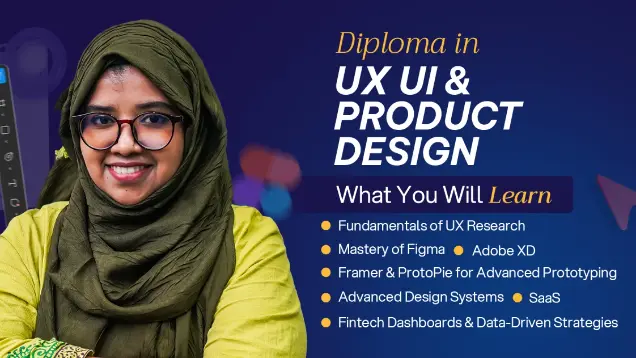
Master End-to-End UX/UI, Product Design, AI & Design Systems
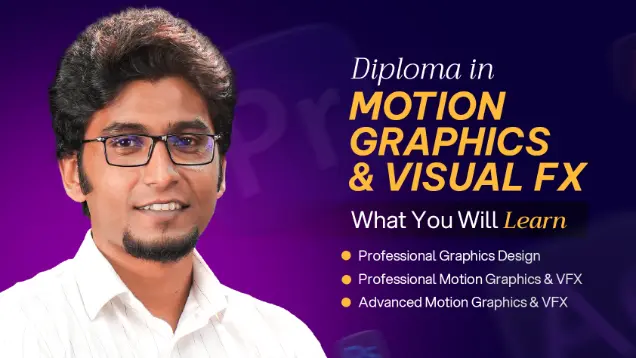
Learn motion graphics, animation, compositing, and VFX through hands-on creative projects.
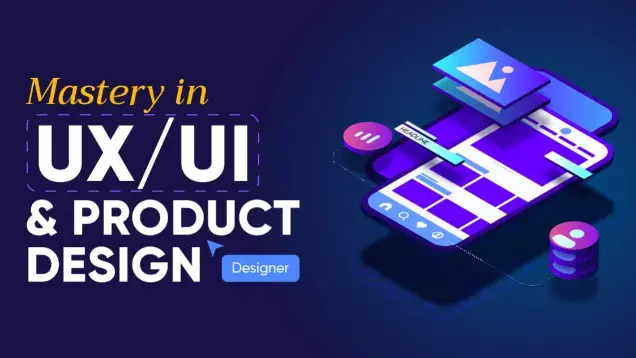
Master End-to-End UX/UI, Product Strategy & AI-Powered Design
Share your details and our team will reserve your seat in an upcoming free class of Mastery in Graphic Design.
Fill in the form to reserve your seat in a free class.
Fill in the form to book your seat.
Fill in the form and an advisor will call you within one working day.
Fill in the form and an advisor will call you within one working day with the best discount available for this course.