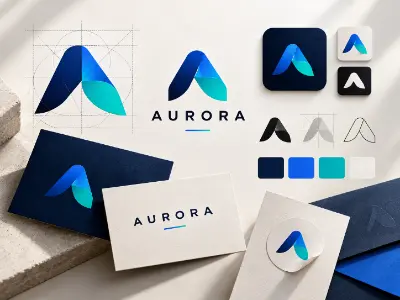
Logo Design System
Develop a professional logo system with structured concepts, proportions, visual consistency and brand logic.

As brands compete for attention across digital and physical platforms, skilled designers are in demand. This course develops expertise in branding, visual identity, concept-driven design, and AI-powered workflows through hands-on projects, helping students build creative confidence, professional skills, and portfolio-ready work for design careers.


Master vector-based illustration and branding with Adobe Illustrator. From pen tool precision to professional logo design and print-ready artwork, this module prepares you for both creative jobs and freelance projects.
| CLASS | TOPIC | TYPE |
|---|---|---|
| Class 1 | 360 Degree Branding & Portfolio Goal Setting | Theory |
| Class 2 | Graphic Design Case Study | Theory |
| Class 3 | Editable Text Effect in Illustrator | Lab |
| Class 4 | Character & Paragraph Style in Illustrator | Recorded |
| Class 5 | Advanced Brush Setting for Custom Typography | Lab |
| Class 6 | Design Trends, AI for Idea Generation & Storytelling | Online |
| Class 7 | Creative Typography Advance Lavel | Theory |
| Class 8 | English Typography | Lab |
| Class 9 | Bangla Typography | Lab |
| Class 10 | Bilingual Typography & Typography Design using AI | Recorded |
| Class 11 | Brand Color Psychology, Theory & Mastery in Gradient | Theory |
| Class 12 | Logo with Brand Identity: Class 1 | Lab |
| Class 13 | Logo with Brand Identity: Class 2 | Lab |
| Class 14 | Logo with Brand Identity: Class 3 | Online |
| Class 15 | Logo with Brand Identity: Class 4 | Lab |
| Class 16 | Mnemonic Logo Design & Logo Design using AI | Recorded |
| Class 17 | Design Principles, Design Psychology & Break the Principles Techniques | Online |
| Class 18 | Brand Guidelines using AI | Lab |
| Class 19 | Mockup Presentation using AI | Online |
| Class 20 | Brand Kits | Lab |
| Class 21 | CPD Phase 1 | Theory |
| Class 22 | Professional Portfolio Development & Personal Branding | Online |
| Class 23 | Logo Intro Animation Using AI | Recorded |
| Class 24 | Freelancing Marketplace (99designs.com) | Online |
| Class 25 | Freelancing Marketplace Live Contest (freelancer.com) | Lab |
| Class 26 | Marketing Material Design 1 (Flyer) | Lab |
| Class 27 | Marketing Material Design 2 (Restaurant Menu Book-Bi-Fold) | Lab |
| Class 28 | Marketing Material Design 3 (Poster Design) | Lab |
| Class 29 | Global & Local Client Hunting, Relationship Building & Management | Theory |
| Class 30 | Real Life Client Hunting Challenge | Online |
Graphic Designer . Brand Identity Designer . Illustrator / Vector Artist . Print & Packaging . Freelance Designer (Local & Global Marketplaces)
This advanced module helps designers master visual storytelling, professional manipulation, and commercial digital design through real-world projects, AI-enhanced workflows, and freelance marketplace readiness.
| CLASS | TOPIC | TYPE |
|---|---|---|
| Class 1 | Advanced Brush Setting in Photoshop | Recorded |
| Class 2 | Advanced Text Effect in Photoshop | Lab |
| Class 3 | Advanced Image Effect in Photoshop | Lab |
| Class 4 | Mockup Creation (AI Included) | Lab |
| Class 5 | Creative Product Manipulation 1: AI included | Online |
| Class 6 | Creative Product Manipulation 2 | Lab |
| Class 7 | Social Media Kits Design 1 (Social Media Post) | Lab |
| Class 8 | Social Media Kits Design 2 (YouTube Thumbnail) | Online |
| Class 9 | Social Media Kits Design 3 (Movie/Natok Digital Poster) | Lab |
| Class 10 | Freelancing Marketplace (stock.adobe.com) | Online |
| Class 11 | Conversational Design using AI Prompt Engineering | Recorded |
| Class 12 | Product Packaging 1 (Label Design) | Online |
| Class 13 | Product Packaging 2 (Box/Packet Design) | Lab |
| Class 14 | Freelancing Marketplace (freepik.com) | Online |
| Class 15 | UI focused Graphic Design Crossover | Lab |
| Class 16 | CPD Phase 2 | Theory |
Photo Editor . Digital / Visual Designer . Advertising & Social Media Designer . Visual Content Creator . Freelance Photoshop Specialist
This advanced module is designed for learners who already understand design fundamentals and want to master professional document layout, corporate communication design, and interview readiness. The module design with career preparation, certifications.
| CLASS | TOPIC | TYPE |
|---|---|---|
| Class 1 | Adobe InDesign Overview | Online |
| Class 2 | Proposal Letter using InDesign | Lab |
| Class 3 | Company Profile using InDesign | Recorded |
| Class 4 | Adobe & NSDA Certification Guideline & Preparation | Online |
| Class 5 | Mock Interview & Viva Session | Theory |
| Class 6 | Final Exam & Portfolio Showcase | Lab |
Corporate graphic design roles . Print & publication design tasks . Professional interviews & viva sessions . Adobe / NSDA certification exams . Confident portfolio presentation.
Share your details and our team will reserve your seat in an upcoming free class of AI Powered Advanced Graphic Design.
Every project is portfolio-grade and presented with mockups, the way a client would receive it.
Develop a professional logo system with structured concepts, proportions, visual consistency and brand logic.
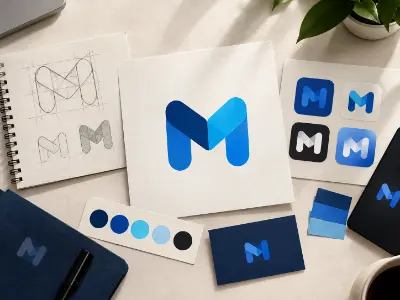
Create memorable symbol-based logos that communicate a brand through simple and distinctive visual forms.
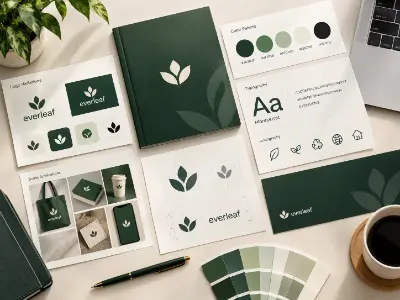
Build a complete brand guideline covering logo usage, colors, typography and visual identity standards.
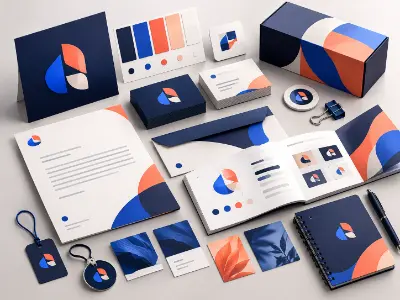
Create a cohesive brand kit that brings essential identity elements together for consistent brand communication.
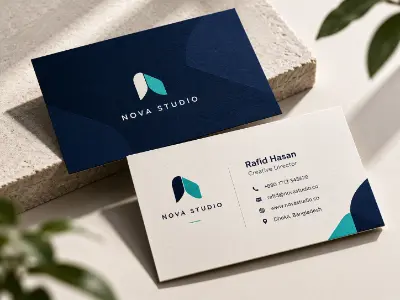
Design a professional business card aligned with the brand identity and visual system.
Create branded letterhead and invoice layouts for consistent corporate communication.
Design a professional branded envelope that complements the overall corporate identity.
Create distinctive custom typography using advanced Illustrator tools, brushes and appearance techniques.
Develop clean vector illustrations and cartoon-style artwork using professional vector techniques.
Design an engaging promotional flyer for marketing and advertising communication.
Create visually impactful posters with strong composition, hierarchy and effective messaging.
Design a structured three-panel brochure combining typography, imagery and information hierarchy.
Create a professional two-panel brochure suitable for promotional and corporate communication.
Design functional calendar layouts with strong visual organization and brand consistency.
Create a professional certificate design with appropriate typography, hierarchy and formal visual treatment.
Develop a print-ready product packaging concept with branding, layout and presentation considerations.
Create an attractive product label that balances branding, information and visual hierarchy.
Develop creative apparel graphics suitable for professional T-shirt printing and presentation.
Design a clear and visually appealing food menu with organized typography, sections and product presentation.
Create an engaging Instagram banner using professional composition, imagery and digital advertising techniques.
Design attention-grabbing YouTube thumbnails with strong visual hierarchy and compelling presentation.
Create a professional Facebook cover that combines branding, imagery and platform-friendly composition.
Develop an animated digital banner for engaging online advertising and promotional communication.
Apply professional retouching techniques to improve image quality while maintaining a natural appearance.
Precisely isolate products from their backgrounds for clean commercial and e-commerce presentation.
Combine images and visual elements to create compelling, realistic and concept-driven compositions
Create visually engaging landscape compositions through advanced Photoshop manipulation and editing.
Design structured e-commerce A+ content that presents product features and visuals professionally.
Create a visually compelling book cover using typography, imagery and professional composition.
Design an attractive promotional party flyer with engaging visuals, typography and information hierarchy.
Create a professional proposal or business letter using structured InDesign layouts, typography and corporate styling.
Design a professional multi-page company profile with organized content, consistent typography and polished visual presentation.
more practical projects across the course modules.
Free consultation & path planning
Enrol, orientation & kick-off
4 month, 51 classes begin
Theory, lab & AI workflows
27 client-grade builds
Viva, exam & course certificate
CV, interview & portfolio polish
Placement referral or freelance
Create memorable brand identities by designing unique, professional and meaningful logos. As a Logo Designer, you can work with businesses, brands and agencies to build visual identities that communicate their story and stand out in the market.
"Lab support and mentor feedback were excellent. The portfolio I built here helped me get my first paid work."
"The Computer Networking with CCNA course was practical from day one. The mentors explained everything clearly and the projects helped me build real confidence."
"Lab support and mentor feedback were excellent. The portfolio I built here helped me get my first paid work."
"The Video Editing with Premiere Pro course was practical from day one. The mentors explained everything clearly and the projects helped me build real confidence."
"Lab support and mentor feedback were excellent. The portfolio I built here helped me get my first paid work."
"The 3D Modeling & Rendering with Blender course was practical from day one. The mentors explained everything clearly and the projects helped me build real confidence."
"Lab support and mentor feedback were excellent. The portfolio I built here helped me get my first paid work."
"The Digital Marketing Professional course was practical from day one. The mentors explained everything clearly and the projects helped me build real confidence."
To enroll at Creative IT Institute, choose your preferred course and enroll online or in person at your nearest campus. If needed, our counsellors can help you pick the course that suits you best.
Our counsellors will help you choose the right course based on your interests and career goals.
Our courses run online, offline and in a hybrid format that combines both, so students can learn in the way that suits them.
Yes, you get direct support and guidance from experienced mentors throughout the course.
Yes. Creative IT Institute is ISO 9001 certified and issues a course certificate after you complete your assessments and projects.
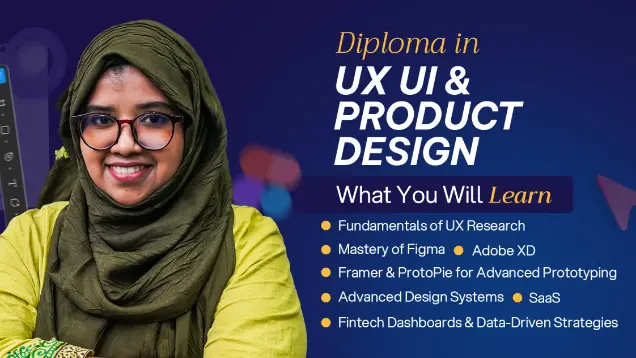
Master End-to-End UX/UI, Product Design, AI & Design Systems
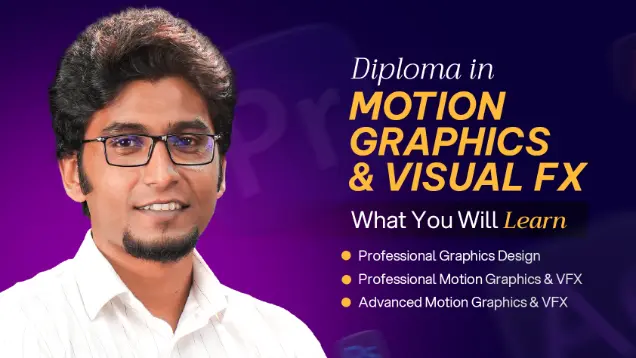
Learn motion graphics, animation, compositing, and VFX through hands-on creative projects.
Master End-to-End UX/UI, Product Strategy & AI-Powered Design
Share your details and our team will reserve your seat in an upcoming free class of AI Powered Advanced Graphic Design.
Fill in the form to reserve your seat in a free class.
Fill in the form to book your seat.
Fill in the form and an advisor will call you within one working day.
Fill in the form and an advisor will call you within one working day with the best discount available for this course.