



 Browse
Course
Browse
Course

19,000 Students enrolled in the course

14,400 Reviews
Professional Graphics Design
Delivery Mode

Theory

Lab Based

Online Live Class

Recorded Video
Graphic Designers leverage their design skills in media and web design, packaging, illustration, animation, production, and such.
The level is advanced, focusing on highlighting only the skills that are helpful in building concepts, and includes a number of project works.
Besides, we provide hands-on training.
4 Months
Course Duration
27+
Industrial Project
32
Classes
20
Bonus Track
Exclusive Solutions That Set Us Apart :

Online Live Batch
Review Class
Class Videos
Corporate Access Program (CAP)
Extra Class
Practice Lab
Key Highlights :
-
•
Fundamentals of graphic design, color theory & composition
-
•
Adobe Illustrator, Photoshop, PowerPoint & Canva mastery
-
•
AI-powered creative tools: ChatGPT, Ideogram, Leonardo & Recraft
-
•
Branding, logo, packaging & marketing material design projects
-
•
Freelancing & marketplace training with live projects
Career Outcome:

Graphics Designer
Creative Director
Creative Executive
Brand Designer
Logo Designer
Photoshop Artist
UI Designer
Class Structure & Distribution of Total 52 Classes:
(For Offline Course)
Offline Class - Onsite in Campus: 32 Class

On Campus (Theory)
11 Classes - Per Class 2 Hrs

On Campus (Lab)
21 Classes - Per Class 2 Hrs
Extra Online & Recorded Class: 20 Class

Online Extra Live Class
8 Classes - Per Class 1+ Hrs

Required Recorded Videos
12 Classes - Duration Variable
Course Prerequisites:

Basic Knowledge of Using Computer

Desktop / Laptop

Internet Connection
This Course is Designed for
(Everyone)

Job seekers

Students

Homemakers

Entrepreneurs

Tech Learners

Immigrants

Freelancers

AI Enthusiasts
Softwares You'll Learn:
(AI Driven)

Microsoft Office PowerPoint

Adobe Photoshop

Adobe Illustrator

Canva
Course Outline Structure

Provide required PDF + Class Recordings to ensure the best learning for our students.

4 Modules

52 Classes

27 Projects

51 Topics

23 Resources

Duration: 4 Classes

Focus:
Design Thinking, Presentation Skill & Creative Foundation. Build your creative mindset with the fundamentals of design and communication. Learn to structure ideas visually using PowerPoint for impactful presentations and storytelling

Class Type Breakdown:
- Offline (Theory): 2 Classes
- Lab (Practical): 1 Class
- Lab (Exam): 1 Class
Projects Included: 2 Projects
Career Path: Junior Presentation Designer, Creative Assistant
Prerequisites: N/A
Key Highlights:
- • Fundamental principles of graphic design
- • Understanding color, balance & composition
- • PowerPoint interface, transitions & animations
- • Creative presentation techniques
- • Interactive project & portfolio presentation
- • Foundation exam (MCQ & presentation-based)
Projects:
- • Color Analysis Report
- • PowerPoint Presentation
| Class No. | Class Type | Topic/Lesson | Resource Type |
|---|---|---|---|
| Class 1 | Offline (Theory) | Fundamental of Graphic Design |
 PDF
PDF
|
| Class 2 | Offline (Theory) | Introducing with Microsoft PowerPoint |
Class Video
|
| Class 3 | Lab (Practical) | Interactive PowerPoint Presentation |
N/A
|
| Class 4 | Lab (Exam) | Fundamental Exam (MCQ & Presentation) |
N/A
|
Duration: 29 Classes
Focus:
Vector Illustration, Marketing Material, Product Packaging, Branding & Conceptual Design Master vector-based illustration and branding with Adobe Illustrator. From pen tool precision to professional logo design and print-ready artwork, this module prepares you for both creative jobs and freelance projects.
Class Type Breakdown:
- Lab (Practical): 10 Classes
- Recorded Video: 9 Classes
- Online Theory: 4 Classes
- Offline (Theory): 6 Classes
Projects Included: 15+ Projects
Career Path: Graphic Designer, Brand Identity Designer, Illustrator, Print Designer, Freelance Vector Artist
Prerequisites: Fundamental & PowerPoint Segment
Key Highlights:
- • Pen tool, shape building & line art mastery
- • Logo design with grid & golden ratio
- • Business card, stationery & packaging design
- • Color psychology & concept development
- • Marketing materials (flyer, brochure, poster)
- • Print on demand & AI-integrated tools (ChatGPT, Ideogram, Leonardo, etc.)
- • Portfolio building & marketplace projects (Freelancer, Shutterstock)
Projects:
- • Vector Cartoon
- • Landscape
- • Custom Letter
- • Logo
- • Business Card
- • Letterhead
- • Invoice
- • Envelope
- • Flyer
- • Bifold Brochure
- • Trifold Brochure
- • Desk & Wall Calendar
- • Certificate
- • Product Packaging
- • Label
- • Food menu
- • T-shirt
| Class No. | Class Type | Topic/Lesson | Resource Type |
|---|---|---|---|
| Class 1 | Lab (Practical) | Introducing Adobe Illustrator |
N/A
|
| Class 2 | Recorded Video | Transformation Details |
N/A
|
| Class 3 | Lab (Practical) | Pen Tool, Line Art Illustration etc. |
N/A
|
| Class 4 | Online Theory | Align, Distribute, Shape Mode, Pathfinder, Stroke etc. |
N/A
|
| Class 5 | Offline (Theory) | Working with Text & Image, Custom Lettering etc. |
Class Video
|
| Class 6 | Recorded Video | Working with Blend, Effect, Paint Brush etc. and Business Card |
N/A
|
| Class 7 | Lab (Practical) | Business Card & Simple Logo |
PDF
|
| Class 8 | Recorded Video | Stationery Design Theory |
N/A
|
| Class 9 | Lab (Practical) | Stationery Design & Canva Template Editing |
Fonts & Icons
|
| Class 10 | Recorded Video | Color Studies, Concept Development & Thank You Card Design |
PDF
|
| Class 11 | Recorded Video | Marketing Material (Flyer) |
N/A
|
| Class 12 | Lab (Practical) | Marketing Material (Flyer) & Canva Party Flyer Editing |
Mockup
|
| Class 13 | Recorded Video | Analyzing Design & Understanding Graphic Design Principles |
PDF
|
| Class 14 | Recorded Video | Marketing Material (Brochure) |
N/A
|
| Class 15 | Lab (Practical) | Marketing Material (Brochure) & Canva Food Menu Brochure Editing |
Mockup
|
| Class 16 | Online Theory | www.freelancer.com |
N/A
|
| Class 17 | Offline (Theory) | Marketplace: 01 www.freelancer.com (Live Project) |
N/A
|
| Class 18 | Offline (Theory) | Logo Design, Part: 01 |
PDF
|
| Class 19 | Lab (Practical) | Logo Design, Part: 02 (Golden Ratio) & Logo Design using AI (Nano Banana / Ideogram) |
Class Video
|
| Class 20 | Recorded Video | Logo Design, Part: 03 (Typography |
Class Video
|
| Class 21 | Lab (Practical) | Marketing Material (Calendar & Food Menu) |
N/A
|
| Class 22 | Recorded Video | Marketing Material (PVC Banner) |
N/A
|
| Class 23 | Online Theory | Product Packaging, Label Design & Using pacdora.com |
N/A
|
| Class 24 | Lab (Practical) | Product Packaging, Label Design & Using diecuttemplates.com |
Class Video
|
| Class 25 | Lab (Practical) | Print On Demand (POD) Design |
Fonts & Mockups
|
| Class 26 | Offline (Theory) | ChatGPT, Gemini, Ideogram, Leonardo, Recraft etc. |
N/A
|
| Class 27 | Offline (Theory) | Portfolio and Pre-Press Setup |
Class Video
|
| Class 28 | Offline (Theory) | Marketplace: 02 www.shutterstock.com (Live Project) |
PDF
|
| Class 29 | Online Theory | Illustrator Final Exam |
N/A
|
Duration: 18 Classes
Focus:
Photo Manipulation, Digital Imaging & Marketplace Projects. Learn the art of photo editing, manipulation, and creative compositing with Adobe Photoshop. This segment combines technical skills with marketplace-based practical projects for real-world freelancing readiness.
Class Type Breakdown:
- Lab (Practical): 10 Classes
- Recorded Video: 2 Classes
- Online Theory: 4 Classes
- Offline (Theory): 2 Classes
Projects Included: 10+ Projects
Career Path: Photo Editor, Digital Designer, Visual Content Creator, Freelance Photoshop Expert
Prerequisites: Adobe Illustrator & Concept Development Segment
Key Highlights:
- • Image retouching, masking & advanced selection
- • Photo manipulation & realistic composition
- • Social media post, thumbnail & banner design
- • A⁺ content & product listing image creation
- • Canva AI integration & animation banners
- • Marketplace projects (Fiverr, Upwork, Template Monster)
- • Final project & course-end evaluation
Projects:
- • Landscape design
- • Image retouch
- • Product Clipping
- • Manipulation
- • Facebook Cover
- • Instagram Banner
- • YouTube Thumbnail
- • A⁺ Content Design
- • Animated Banner
- • Book Cover
- • Party Flyer
| Class No. | Class Type | Topic/Lesson | Resource Type |
|---|---|---|---|
| Class 1 | Lab (Practical) | Introducing Adobe Photoshop |
N/A
|
| Class 2 | Recorded Video | Selection Tool Details & Brush |
Brushes
|
| Class 3 | Lab (Practical) | Image Retouch with www.fotor.com & Nano Banana |
N/A
|
| Class 4 | Lab (Practical) | Pen Tool & Type Tool |
N/A
|
| Class 5 | Online Theory | Marketplace: 03 (1st Part) www.fiverr.com |
N/A
|
| Class 6 | Online Theory | Image Manipulation (01) |
Class Video
|
| Class 7 | Lab (Practical) | Image Manipulation (02) |
Class Video
|
| Class 8 | Lab (Practical) | Social Media Post Design (English) & Canva Template Editing |
N/A
|
| Class 9 | Lab (Practical) | Social Media Post Design (Bangla) |
Class Video
|
| Class 10 | Lab (Practical) | YouTube Thumbnail |
N/A
|
| Class 11 | Online Theory | Listing Image and A⁺ Content Design |
N/A
|
| Class 12 | Lab (Practical) | A⁺ Content Design (Freelancer Live Contest) |
N/A
|
| Class 13 | Lab (Practical) | Animated Banner Design |
Class Video
|
| Class 14 | Offline (Theory) | Marketplace: 04 www.upwork.com |
PDF
|
| Class 15 | Lab (Practical) | Book Cover Design |
Mockup
|
| Class 16 | Recorded Video | Canva AI Using |
N/A
|
| Class 17 | Online Theory | Canva AI Project (Party Flyer Design) |
N/A
|
| Class 18 | Offline (Theory) | Marketplace: 05 www.templatemonster.com |
N/A
|
Duration: 1 Class
Focus:
Graphic Designer | Brand Identity Designer | Creative Visual Artist | Marketing Designer | UI Designer | Freelance Designer | Design Entrepreneur
Class Type Breakdown:
- Lab (Exam): 1 Class
Career Path: Junior Graphic Designer, Brand Identity Designer, Creative Visual Artist, Marketing Designer, Freelance Graphic Designer
Prerequisites: Fundamental of Graphic Design & PowerPoint Segment, Adobe Illustrator & Concept Development Segment, Adobe Photoshop & Concept Development
Key Highlights:
- • Fundamentals of graphic design, color theory & composition
- • Adobe Illustrator, Photoshop, PowerPoint & Canva mastery
- • AI-powered creative tools: ChatGPT, Ideogram, Leonardo & Recraft
- • Branding, logo, packaging & marketing material design projects
- • Freelancing & marketplace training with live projects
Projects:
- • N/A
| Class No. | Class Type | Topic/Lesson | Resource Type |
|---|---|---|---|
| Class 1 | Lab (Exam) | Illustrator Final Exam |
N/A
|
Admission Is Going On
Enroll now to any of our Offline Courses (On- Campus)

Course Fee Offline
BDT. 30,000
Online (Live Class) courses as per your suitable time.
Course Fee Online
BDT. 15,000
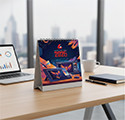
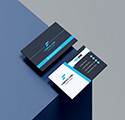
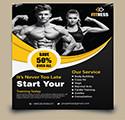
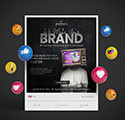
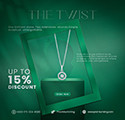
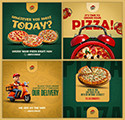
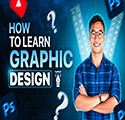
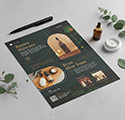
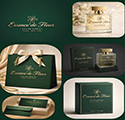
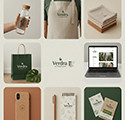
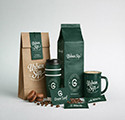
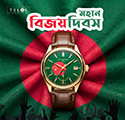
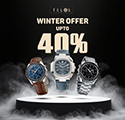
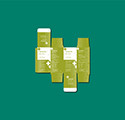
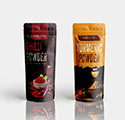
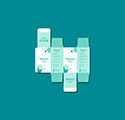
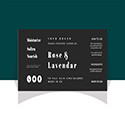
Some of the Creative Projects Done by Our Students
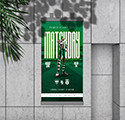
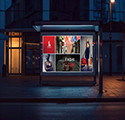
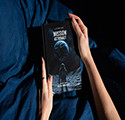
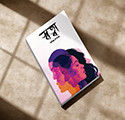
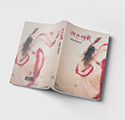
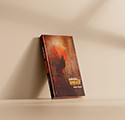



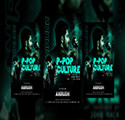
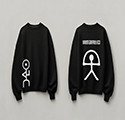
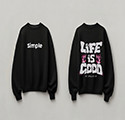
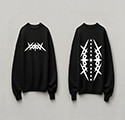
Students Shared Their Feedback


Md. Hasan
Graphic Designer
5.0
যারা সত্যিকারের স্কিল শিখে ক্যারিয়ার গড়তে চান, তাদের জন্য Creative IT Institute নিঃসন্দেহে একটি দারুণ জায়গা। আমি অত্যন্ত সন্তুষ্ট এবং সবাইকে রেকমেন্ড করি।
Md. Saiful Islam Ovi
Graphic Designer
5.0
I’m genuinely grateful for what I learned here, and I can confidently say that Creative IT Institute is an excellent place for anyone who wants to build a career in graphic design.

Md. Shah poran
Graphic Designer
5.0
My journey with Creative IT Institute (Batch CPGD 2312) was really inspiring. The course was practical, modern, and helpful for building a career. I learned real design skills, which significantly improved my confidence as a graphic designer. The teachers were supportive, and their guidance helped me grow. I truly appreciate this learning experience. Thank you, CIT
Umdatun Nessa Maliha
Graphic & UX/UI Designer
5.0
My experience at Creative IT Institute was truly amazing! I didn’t just learn software, I learned real skills through practical projects, mentorship, and professional guidance. The journey helped me grow, practice, and challenge myself every day. Thank you, Creative IT, for boosting my confidence and shaping me professionally!

Md Imran Hossain
Graphic Designer
5.0
আমি কৃতজ্ঞ Creative IT Institute এর প্রতি, যেখানে আমি শিখেছি, গড়ে উঠেছি এবং নিজেকে প্রস্তুত করতে পেরেছি। এখানকার শিক্ষকদের প্রতিটি পরামর্শ এবং সহপাঠীদের সহযোগিতা আমার জন্য অমূল্য। এখন একটি নতুন যাত্রা শুরু করছি, নতুন লক্ষ্য, নতুন চ্যালেঞ্জ! সবার দোয়া ও ভালোবাসা চাই, যেন আমি আমার দায়িত্ব ঠিকভাবে পালন করতে পারি এবং প্রতিষ্ঠানের জন্য নিজের সর্বোচ্চটা দিতে পারি
M. A. Shawon
Graphic Designer
5.0
This is a huge milestone in my journey, and I’m truly grateful to my respected Creative IT Institute for his continuous guidance and inspiration. May Allah bless Creative IT Institute.

Ruhul Amin Khan Rubel
Graphic Designer
5.0
Creative IT Institute-এ শেখা প্রতিটি ধাপ আমাকে নতুন কিছু শিখাচ্ছে। আজ সেই যাত্রার ছোট কিন্তু তাৎপর্যপূর্ণ অর্জন— আমার প্রথম প্রিন্টেড ফ্লায়ার ডিজাইন। আলহামদুলিল্লাহ! কৃতজ্ঞতা আমার সকল CIT মেন্টরদের, তাদের গাইডেন্স ও ফিডব্যাক আমাকে এগিয়ে নিচ্ছে। এই পরিবেশ আমাকে আত্মবিশ্বাসী করেছে। সবার দোয়া ও শুভকামনা কামনা করি— সামনে আরও ভালো কাজের চেষ্টা ইনশা’আল্লাহ।

Sifat
Graphic Designer
5.0
Creative IT Institute এমন একটি জায়গা যেখানে চাইলে ডিজিটাল ও IT স্কিল শেখা যায় এবং ক্যারিয়ার নিয়ে গাইডলাইনও পাওয়া যায়। তবে শুধু ভর্তি হলেই ১০০% সফলতা আসে না। সফলতা নির্ভর করে নিজের আগ্রহ, নিয়মিত প্র্যাকটিস ও পরিশ্রমের ওপর। যত বেশি হাতে-কলমে কাজ ও সিরিয়াসনেস থাকবে, তত বেশি সফল হওয়ার সম্ভাবনা বাড়বে।
Azizul Haque
Graphic Designer
5.0
আমি Creative IT Institute-এ গ্রাফিক ডিজাইন কোর্স করছি এবং অভিজ্ঞতা ভালো। মেন্টররা cooperative ও practical কাজের ওপর জোর দেন। ক্লাস মডিউল অনুযায়ী হয়, lab supportও ভালো। হোমওয়ার্কে বিশেষ গুরুত্ব দেয়, যা স্কিল ডেভেলপে সাহায্য করে। যারা freelancing বা career গড়তে চায়, তাদের জন্য এটি ভালো একটি পছন্দ হতে পারে।
FAQ
Answer : You will learn Adobe Illustrator, Photoshop, InDesign, PowerPoint, and Figma. You’ll also use AI tools like ChatGPT, Leonardo.ai, and Playground AI for design and research.
Answer : The main goal is to help you become a professional graphic and UI/UX designer, ready for jobs or freelancing on platforms like Fiverr, Upwork, and GraphicRiver.
Answer : The course includes around 48 classes with over 300+ total topics and subtopics, covering everything from basics to advanced projects.
Answer : AI is used to speed up design, generate images, write content, create layouts, and support design research. Tools like ChatGPT, Uizard, and Relume are included.
Answer : You will submit website and app designs, branding, case studies, and a full design portfolio (Behance/Dribbble). Final projects are required for graduation.
Answer : Yes! The course includes full training on Fiverr, Upwork, and other marketplaces. You'll learn how to create gigs, write proposals, and find clients.
Answer : Yes. You’ll get help with interview tips, resume and cover letter design, portfolio building, and real-world design tasks to prepare for jobs.
Answer : Minimum Requirements (Entry-Level) - Processor: Intel Core i5 (7th Gen or above) / AMD Ryzen 3 - RAM: 8 GB - Storage: 256 GB SSD (faster than HDD) - Graphics: Integrated graphics (sufficient for basic design/marketing tools) - Operating System: Windows 10/11 or macOS (latest version) - Internet: Stable broadband with at least 10 Mbps speed - Extras: Headset with mic, webcam for online classes
Course Services
Job Placement Support
Creative IT offers students an exclusive gateway to their dream careers through its Job Placement Support. Throughout the course, learners receive targeted training in CV crafting, portfolio development, and essential soft skills, ensuring they are industry-ready. Upon completion, students are strategically referred to companies that match their skills and potential.
Backup Class
A Backup Class is a special facility where students can revisit lessons missed due to illness or emergencies. It helps maintain learning continuity and ensures that students’ progress is not interrupted. However, the number of backup classes may vary depending on the course. Therefore, it is advisable not to miss classes unless absolutely necessary.